
Maan Win Login: Official Member Sign In & Account Security Guide
Learn how to sign in securely to your Maan Win Game dashboard on mobile and web. Follow our step-by-step instructions for biometric access, SMS OTP password recovery, and protecting your wallet balance.
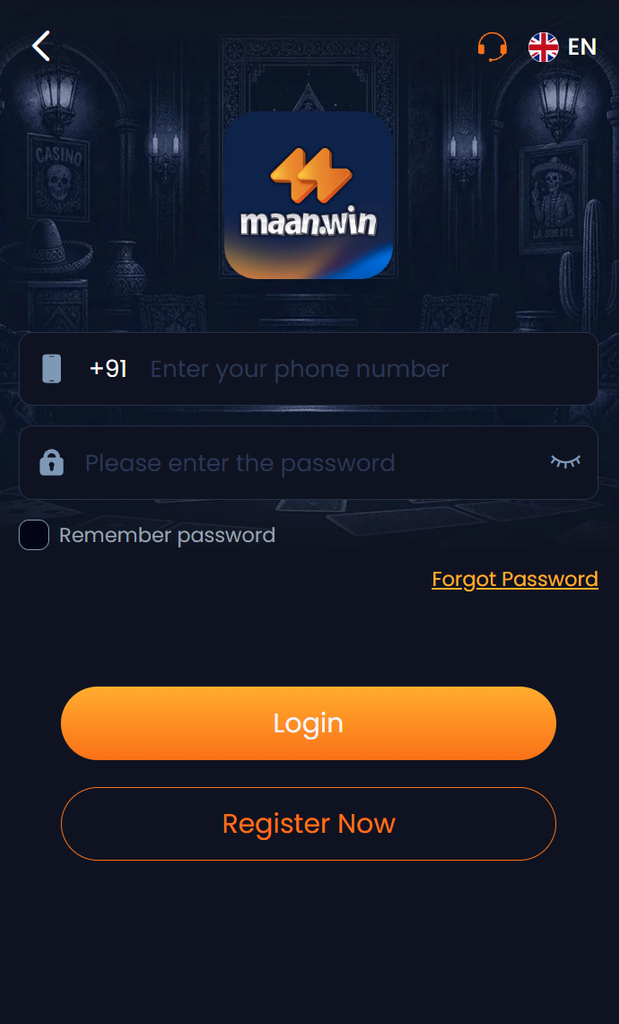
Step-by-Step Sign In Process
Logging into your Maan Win dashboard takes less than 30 seconds:
Open Official Portal
Launch the installed Maan Win APK or visit the verified official web portal at maanvin.in.
Enter Credentials
Type your registered 10-digit mobile number and your confidential password in the appropriate fields.
Verify & Enter
Tap "Log In". You will be redirected instantly to your personalized gaming dashboard.
Troubleshooting Common Login Issues
If you experience difficulty accessing your account, consult the solutions below:
1. Forgotten Password Recovery
If you cannot recall your password, use the automated reset tool:
- On the login screen, tap "Forgot Password".
- Enter your registered 10-digit mobile phone number.
- Tap "Send OTP" to receive a 6-digit one-time verification code via SMS.
- Input the OTP, create a strong new alphanumeric password (8–16 characters), and tap Confirm.
2. OTP Not Arriving
If you do not receive the verification SMS within 60 seconds:
- Check your network signal and ensure Do Not Disturb (DND) is not blocking transactional messages.
- Restart your device or toggle Airplane mode for 10 seconds.
- If delays persist, connect with the 24/7 Telegram Customer Care for expedited manual verification.
Account Security Advisory:
Never share your login password or SMS OTPs with anyone, including individuals claiming to be customer service agents. Official staff will never ask for your account password or wallet PIN.
Related Essential Guides
- Maan Win Deposit & Recharge Manual: Complete UPI and UTR reference guide.
- Maan Win Withdrawal Guide: Minimum limits, bank verification, and fast payouts.
- Download Maan Win APK: Install the latest native Android app for faster biometric sign-in.