
Maan Win Deposit & Recharge Manual: Fast UPI Methods & UTR Verification
A complete walkthrough on how to safely deposit funds into your Maan Win Game wallet. Learn supported UPI gateways, how to submit your 12-digit UTR reference number, and how to resolve delayed recharges within minutes.
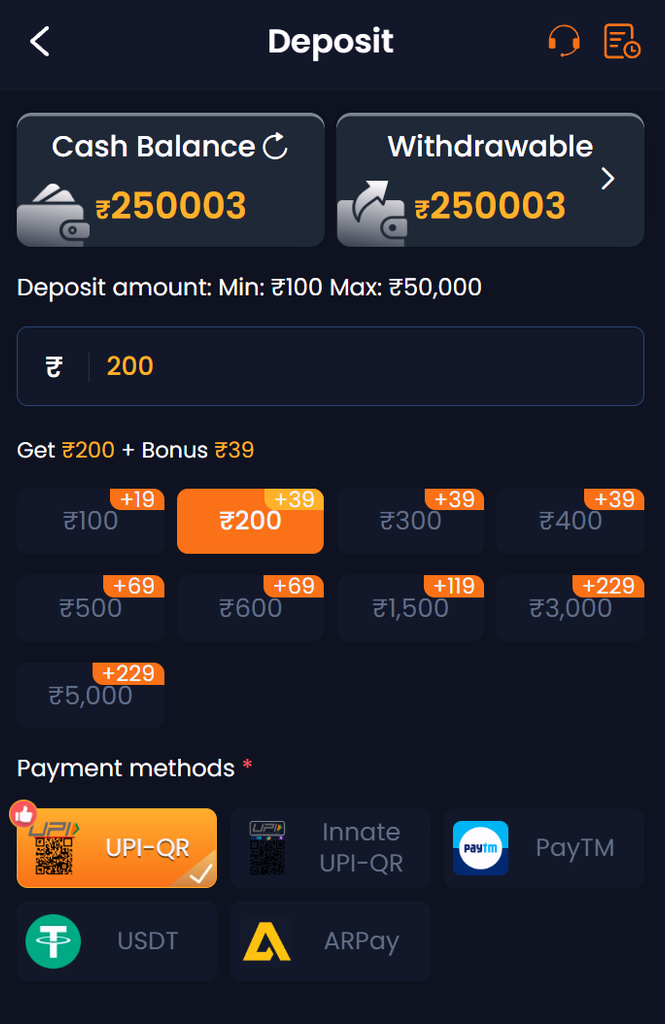
Supported Payment Gateways & Minimums
Maan Win supports all major instant payment rails across India:
- UPI Apps: PhonePe, Google Pay, Paytm, BHIM, and Cred UPI.
- Direct Net Banking & IMPS: State Bank of India, HDFC, ICICI, Axis Bank, and all major commercial banks.
- Recharge Minimum: Starting from ₹100 up to ₹50,000 per single transaction.
Step-by-Step Deposit Walkthrough
Select Amount
Go to Wallet > Deposit, choose your preferred payment channel (UPI-QR or Direct UPI), and enter your recharge amount.
Scan or Pay
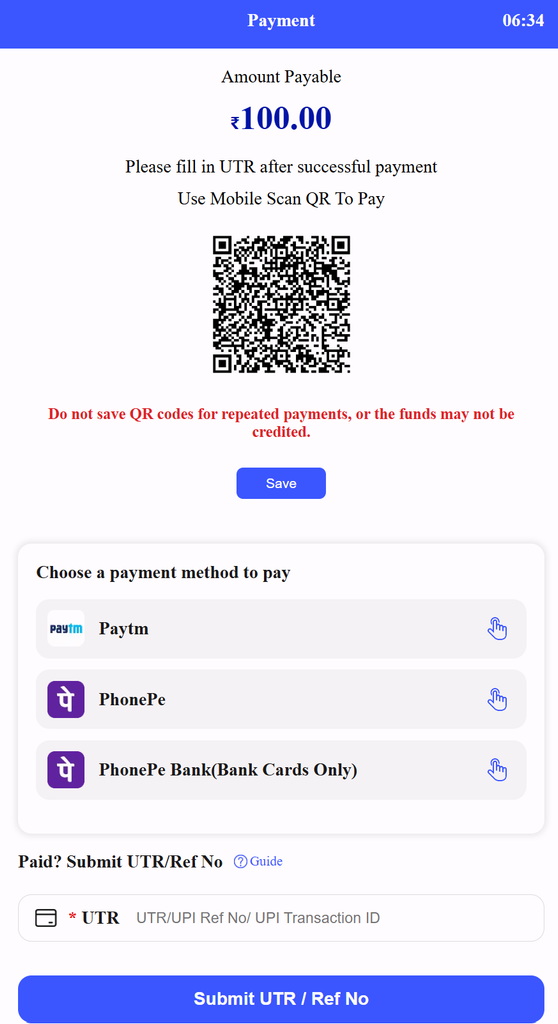
Scan the generated UPI QR code using your UPI app (PhonePe/GPay) or copy the unique payment VPA address.
Copy 12-Digit UTR
After completing payment in your bank app, locate the transaction details and copy the 12-digit UTR / Ref No.
Submit UTR
Return to the deposit gateway page, paste the 12-digit UTR into the input box, and tap Submit. Balance reflects within 60 seconds.
How to Solve Delayed Deposit Credits
If balance does not reflect within 5 minutes:
Take a clear screenshot of your bank payment showing: (1) Date & Time, (2) Paid Amount, and (3) 12-digit UTR Number. Open Customer Support and share your registered phone number with the screenshot. Payout teams verify the bank ledger and credit the wallet manually.
Important Payment Safety Rules:
- Never reuse old QR codes: Always generate a fresh payment QR code inside the app for every single recharge.
- Never pay third-party numbers: Only make payments through the automated gateway inside the official platform.
Related Guides
- Maan Win Withdrawal Guide: Bank binding and fast cashout guide.
- Wingo Game Rules & Strategy: Color prediction mechanics.
- Return to Portal Home: Overview of all platform features.